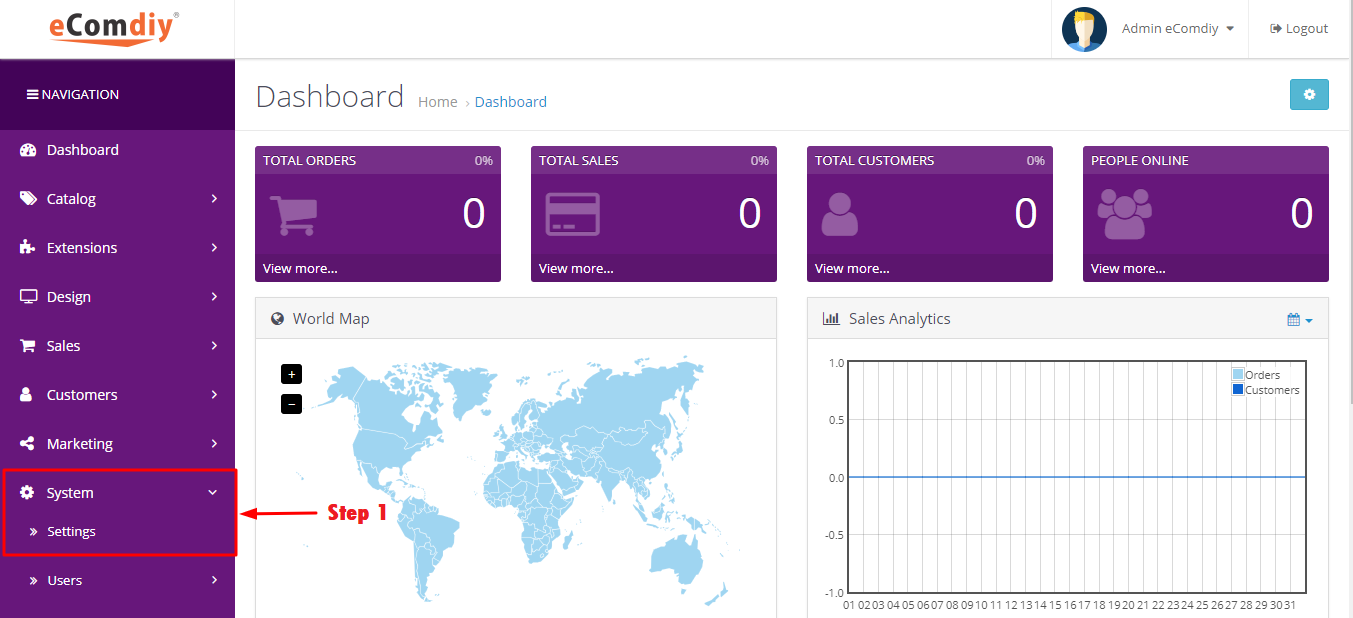
Choose system then click setting.
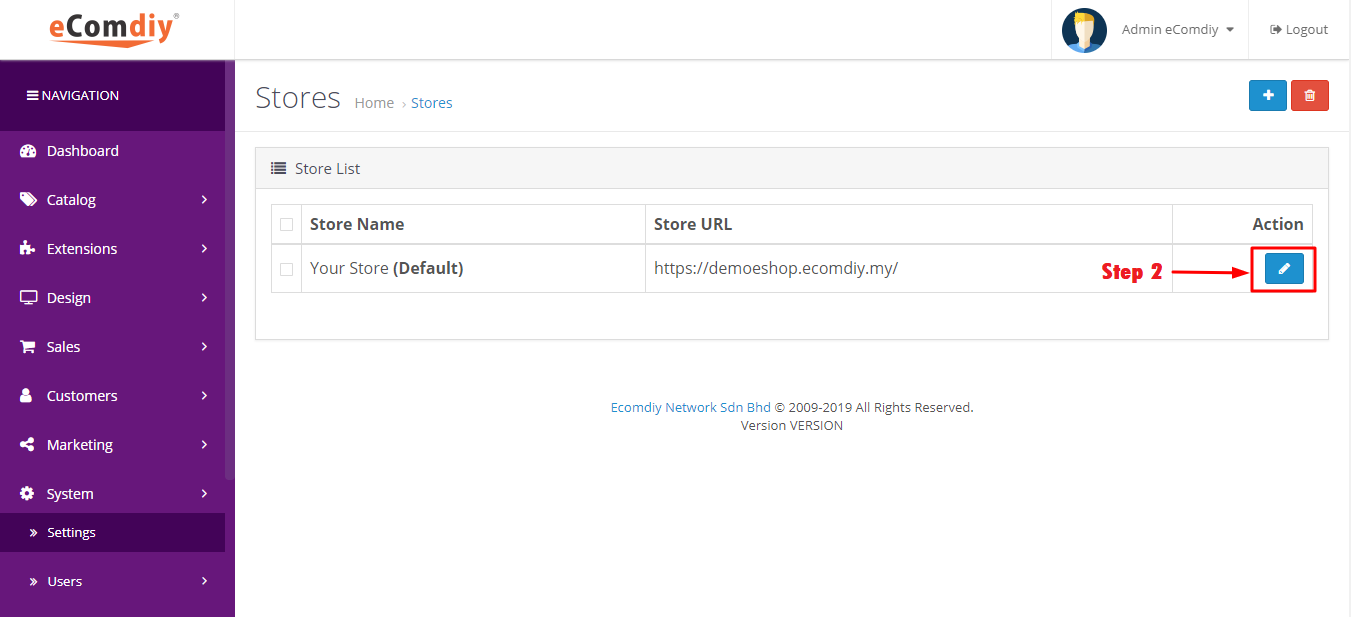
Click blue button to edit store details.
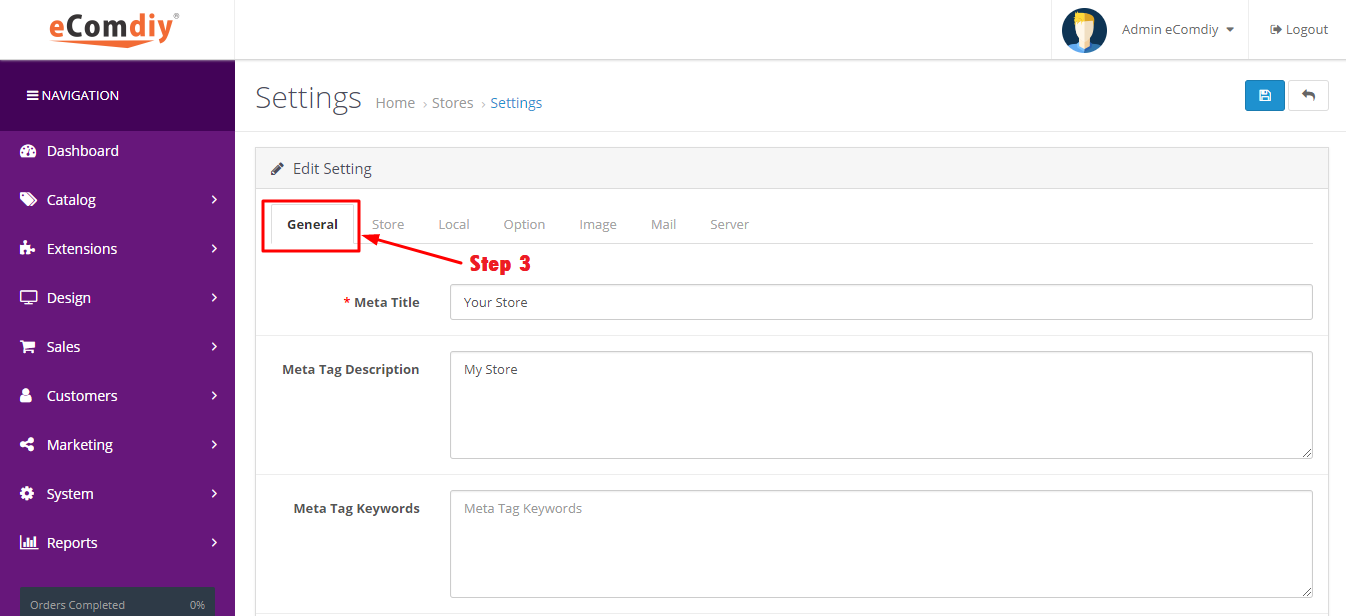
Go to General.
| Format | Description | Example |
|---|---|---|
| Meta Title | Name of your store | Ecomdiy Network |
| Meta Tag Description | Provide summary of website’s content | Ecomdiy Network is a global company |
| Meta Tag Keywords | Help to tell search engine what the topic of the page is | Apple products |
| Theme | Theme for your store |
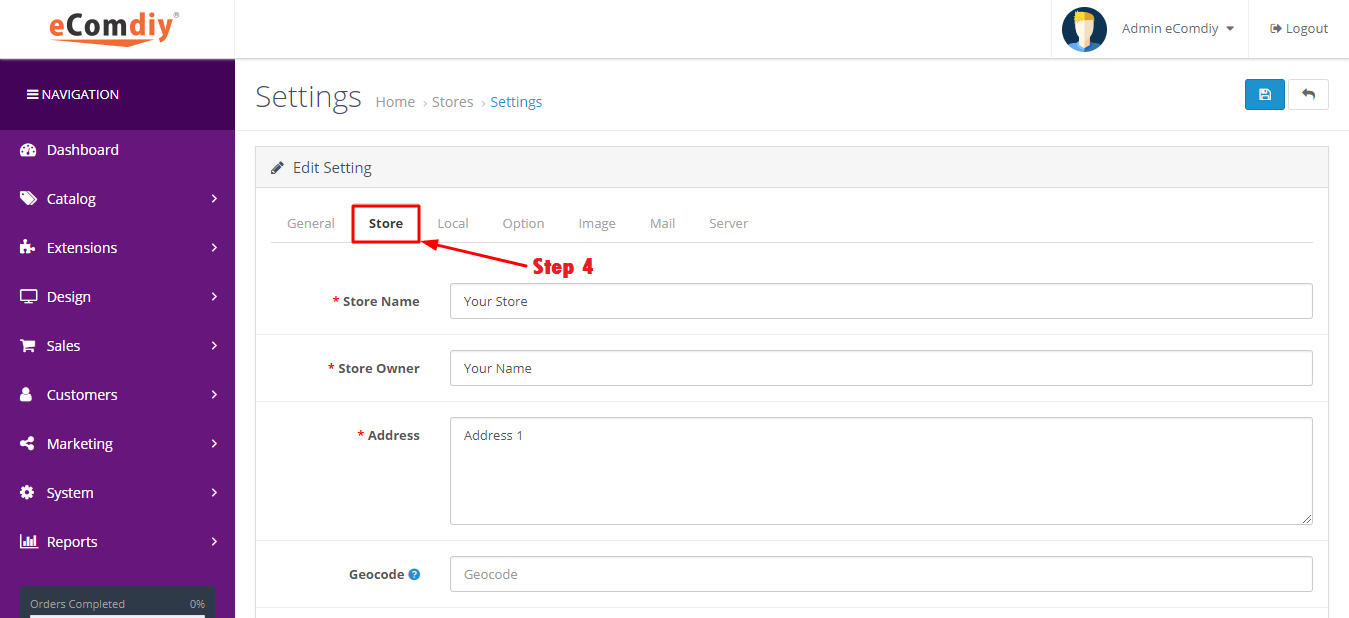
Go to Store.
| Format | Description | Example |
|---|---|---|
| Store Name | Title name of your store | Ecomdiy Network |
| Store Owner | Your name | Adam |
| Address | Your company address | 121, Jalan Pekan Baru |
| Geocode | Postal address | 08000 |
| Your email address | [email protected] | |
| Telephone | Your contact number | 012 345 6789 |
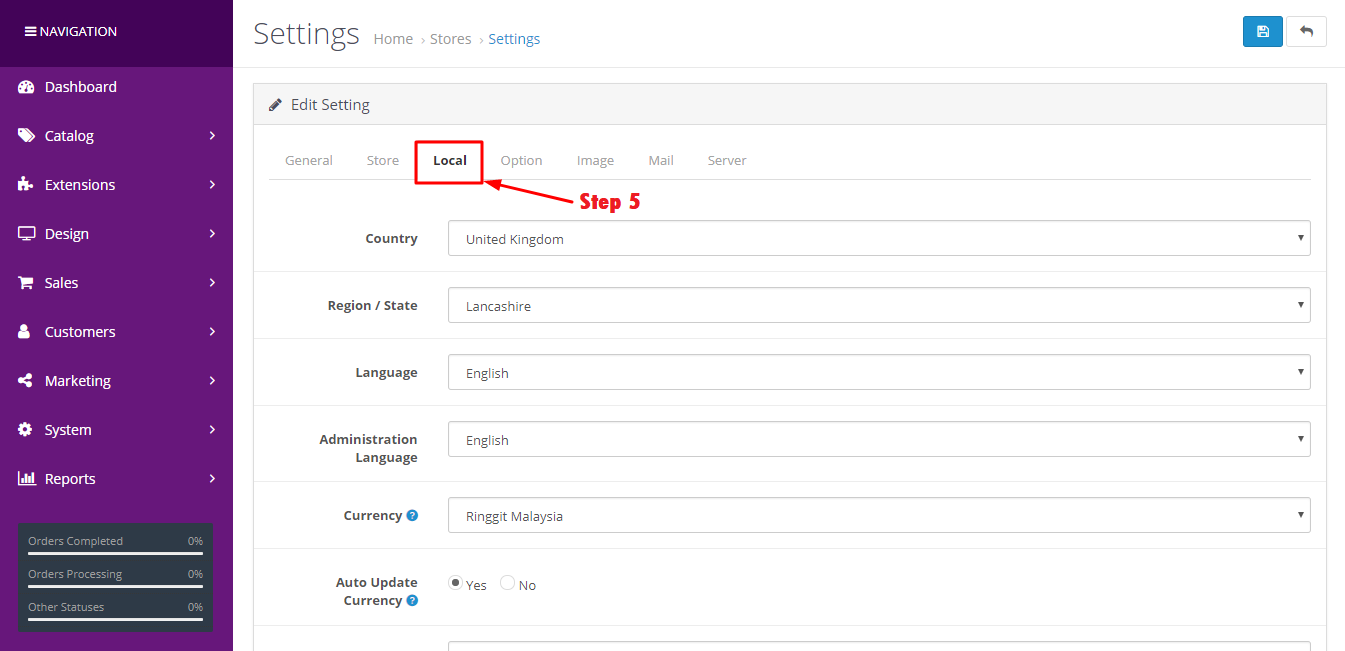
Go to Local.
| Format | Description | Example |
|---|---|---|
| Country | Your country name | Malaysia |
| Your currently state | Your state | Kedah |
| Language | Type of language | English |
| Administration Language | Language for your administration | English |
| Currency | Type of your country currency | Ringgit Malaysia |
| Auto Update Currency | Set you store to automatically update currencies daily | Yes |
| Length Class | Type length | Centimeter |
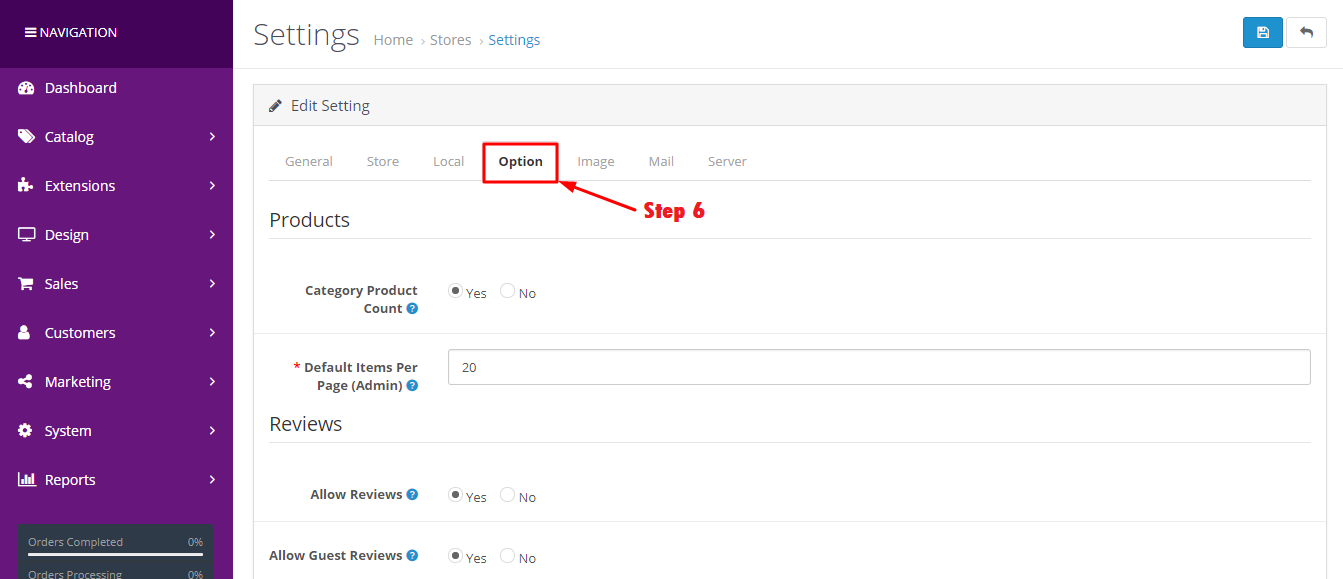
Go to Option.
| Format | Description | Example |
|---|---|---|
| Category Product Count | Show the number of products inside the subcategories in the storefront header category menu | Yes |
| Default Item Per Page (Admin) | Determines how many admin items are shown per page (orers, customers, etc) | 20 |
| Allow Reviews | Enable/disable new review entry and display of existing reviews | Yes |
| Allow Guest Reviews | Allow guests to post reviews | Yes |
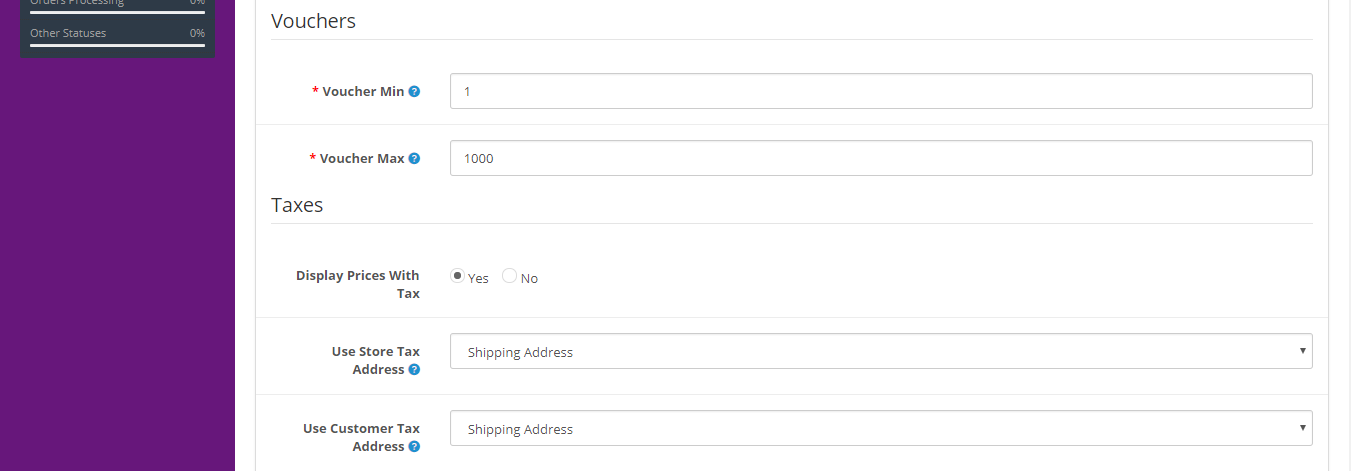
| Format | Description | Example |
|---|---|---|
| Voucher Min | Minimum amount a customer can purchase a voucher for | 1 |
| Voucher Max | Maximum amount a customer can purchase a voucher for | 1000 |
| Display Prices With Tax | Enable/disable the tax with prices | Yes |
| Use Store Tax Address | Use the store address to calculate taxes if customer is not logged in. You can choose to use the store address for the customer's shipping or payment address | Shipping Address |
| Use Customer Tax Address | Use customer's default address when the login to calculate taxes. You can choose to use default address for customer's shipping or payment address | Shipping Address |
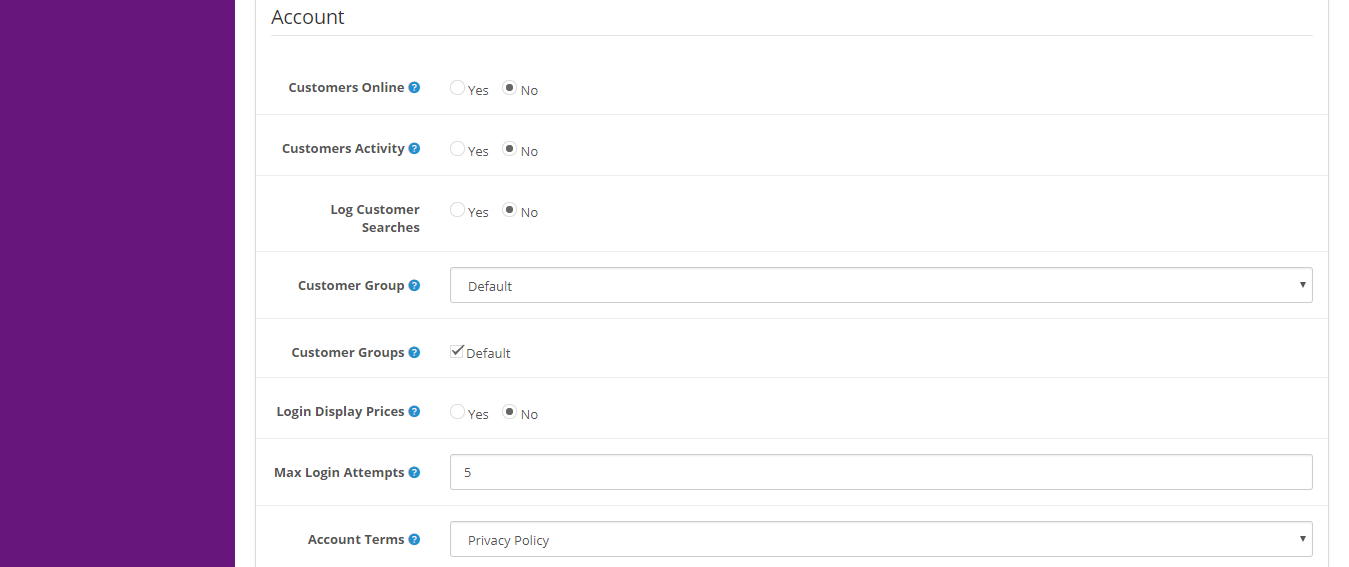
| Format | Description | Example |
|---|---|---|
| Customer Online | Track customers online via customer reports section | No |
| Customers Activity | Track customers activity via customer reports section | No |
| Customer Group | Default customer group | Default |
| Customer Groups | Display customer groups that new customers can select to use such as wholesale and business when signing up | Default |
| Login Display Prices | Only show prices when a customer is logged in | No |
| Max Login Attempts | Maximum login attempts allowed before account is locked for 1 hour. Customer and affiliate accounts can be unlocked on the customer or affiliate admin pages | 5 |
| Amount Terms | Forces people to agree to terms before an account can be created | Privacy Policy |
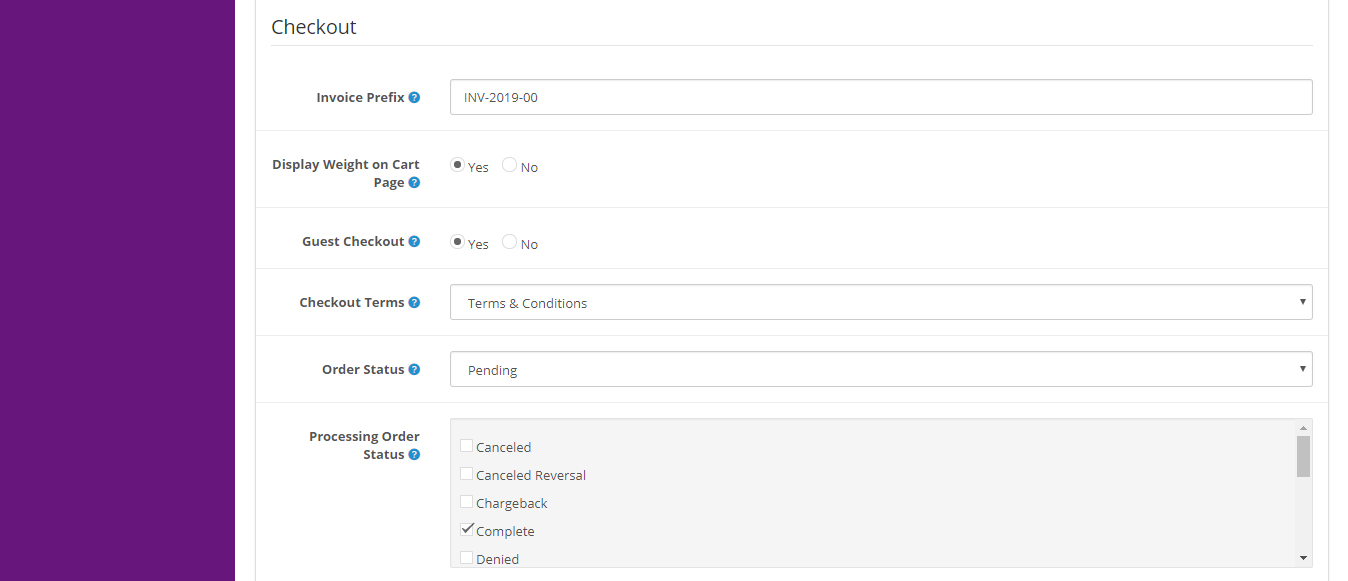
| Format | Description | Example |
|---|---|---|
| Invoice Prefix | Set the invoice prefix. Invoide IDs will start at 1 for each unique prefix | INV-201700 |
| Display Weight on Cart Page | Show the cart weight on the cart page | Yes |
| Guest Checkout | Allow customers to checkout without creating an account. This will not be available when a downloadable product is in the shopiing cart | Yes |
| Checkout Terms | Forces people to agree to terms before a customer can checkout | Terms & Conditions |
| Order Status | Set the default order status when an order is processed | Pending |
| Processing Order Status | Set the order status the customer's order must reach before the order starts stock subtraction and coupon, voucher and reward redemption | Complete |
| Complete Order Status | Set the order status the customer's order must reach before the order starts stock subtraction and coupon, voucher and reward redemption | Complete |

| Format | Description | Example |
|---|---|---|
| Fraud Order Status | Set the order status when a customer is suspected of trying to alter the order payment details or use a coupon, gift voucher or reward points that have already been used | Cancelled |
| API User | Default API user the admin should use | Default |
| Display Stock | Display stock quantity on the product page | No |
| Show Out Of Stock Warning | Display out of stock message on the shopping cart if a product is out of stock but stock checkout is yes | No |
| Stock Checkout | Allow customers to still checkout if the products they are ordering are not in stock | No |
| Affiliate Requires Approval | Automatically approve any new affiliates who sign up | No |
| Automatic Commission | Automatically dd commission when aech order reaches the complete status | No |
| Affiliate Commission (%) | The default affiliate commission percentage | 5 |
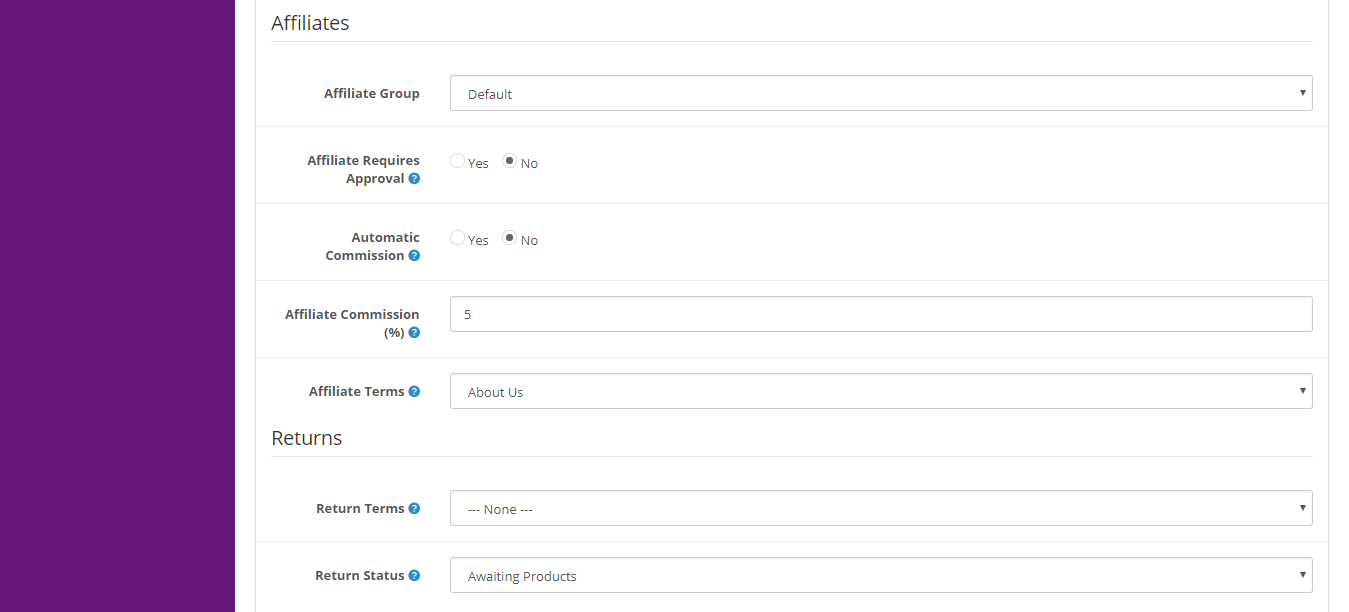
| Format | Description | Example |
|---|---|---|
| Affiliate Terms | Forces people to agree to terms before an affiliate account can be created | About Us |
| Return Terms | Forces people to agree to terms before a return can be created | None |
| Return Status | Set the default return status when a return request is submitted | Awaiting Products |
| Captcha | Captcha to use for registration, login, contact and reviews | None |
| Captcha Page | You can choose which page you want set captcha | Reviews, Returns, Contact |
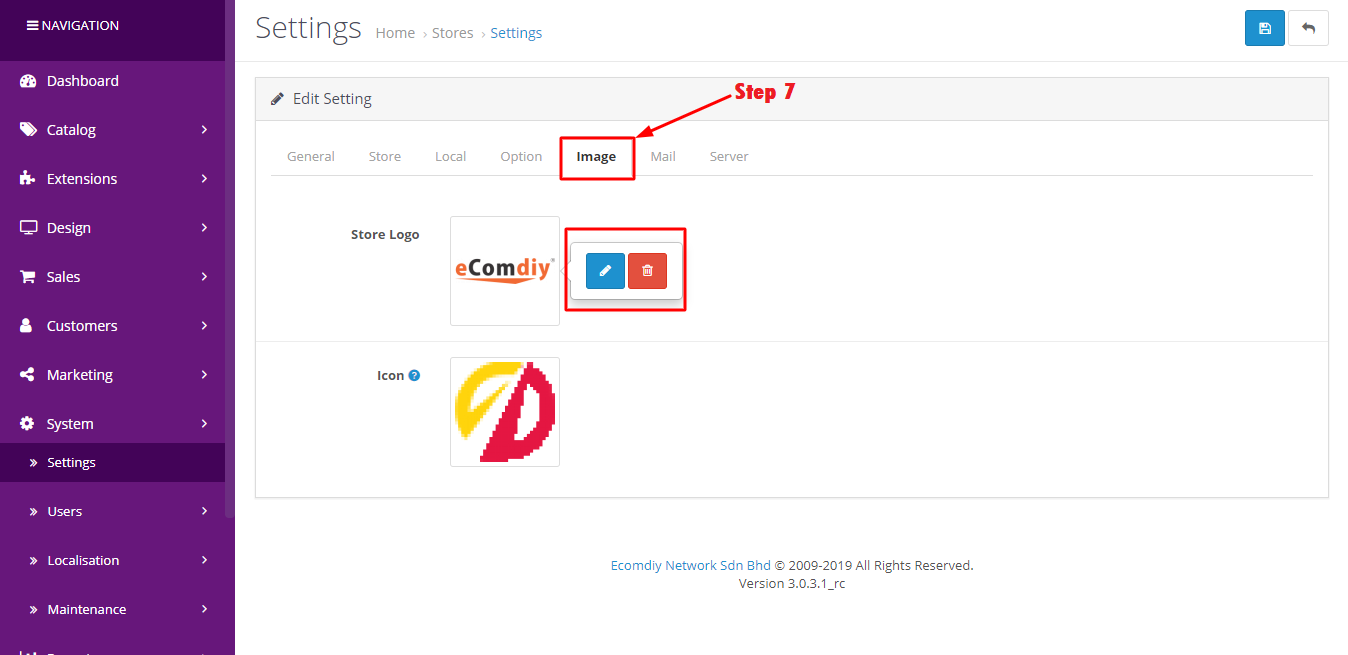
Go to image.
| Format | Description | Example |
|---|---|---|
| Store Logo | This the logo of your store | |
| Icon | The icon should be a PNG that is 16px x 16px |
After finish editing you can click blue button at upper right corner to save all data.
 Copyright © 2026 All Rights Reserved